Using Instant Payouts
When someone wins an instant prize, it will automatically be moved to the Payout portal even if it has no cash value.
Where you normally setup the Instant wins you will also see new fields such as site credit payout amount & cash alternative payout amount.
Customers perspective
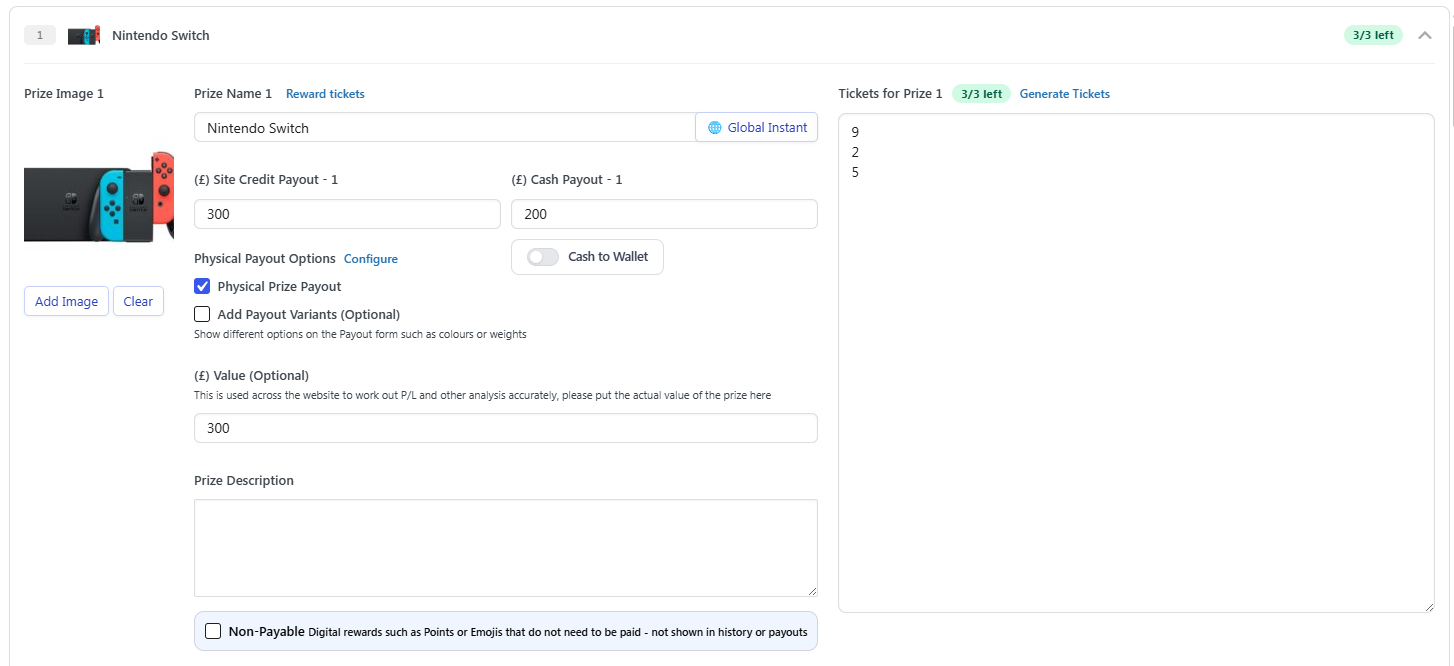
In the example below we can see if someone wins the Nintendo Switch, the Site Credit alternative would be 300. Since the Site Credit alternative is slightly higher than the retail value, winners will be more inclined to choose the Site Credit option which will be applied instantly.
This will save you time sending cash prizes manually or dispatching physical prizes. The main purpose of Payouts is to save you admin time.
Trying the Payout System
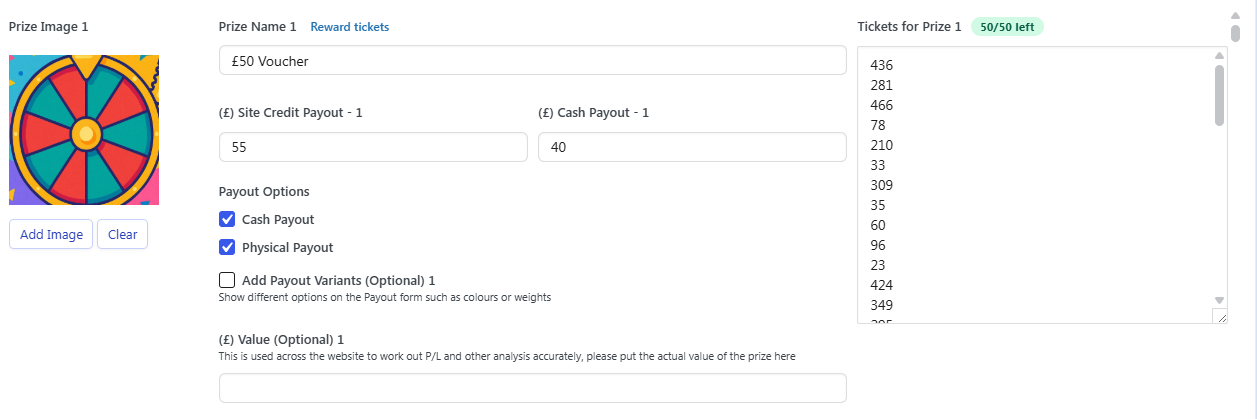
Setting up a prize is easy, fill in the fields such as Prize name, Site Credit payout and Cash Payout
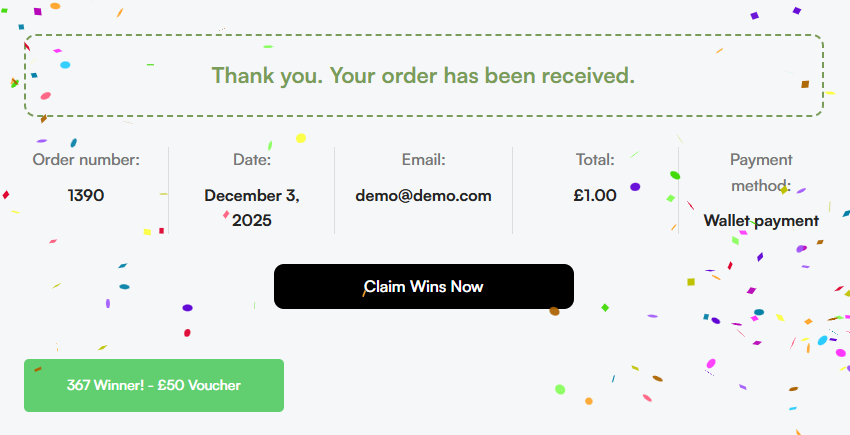
Once the Customer wins an Instant win they'll be able to claim their wins and choose their payout option
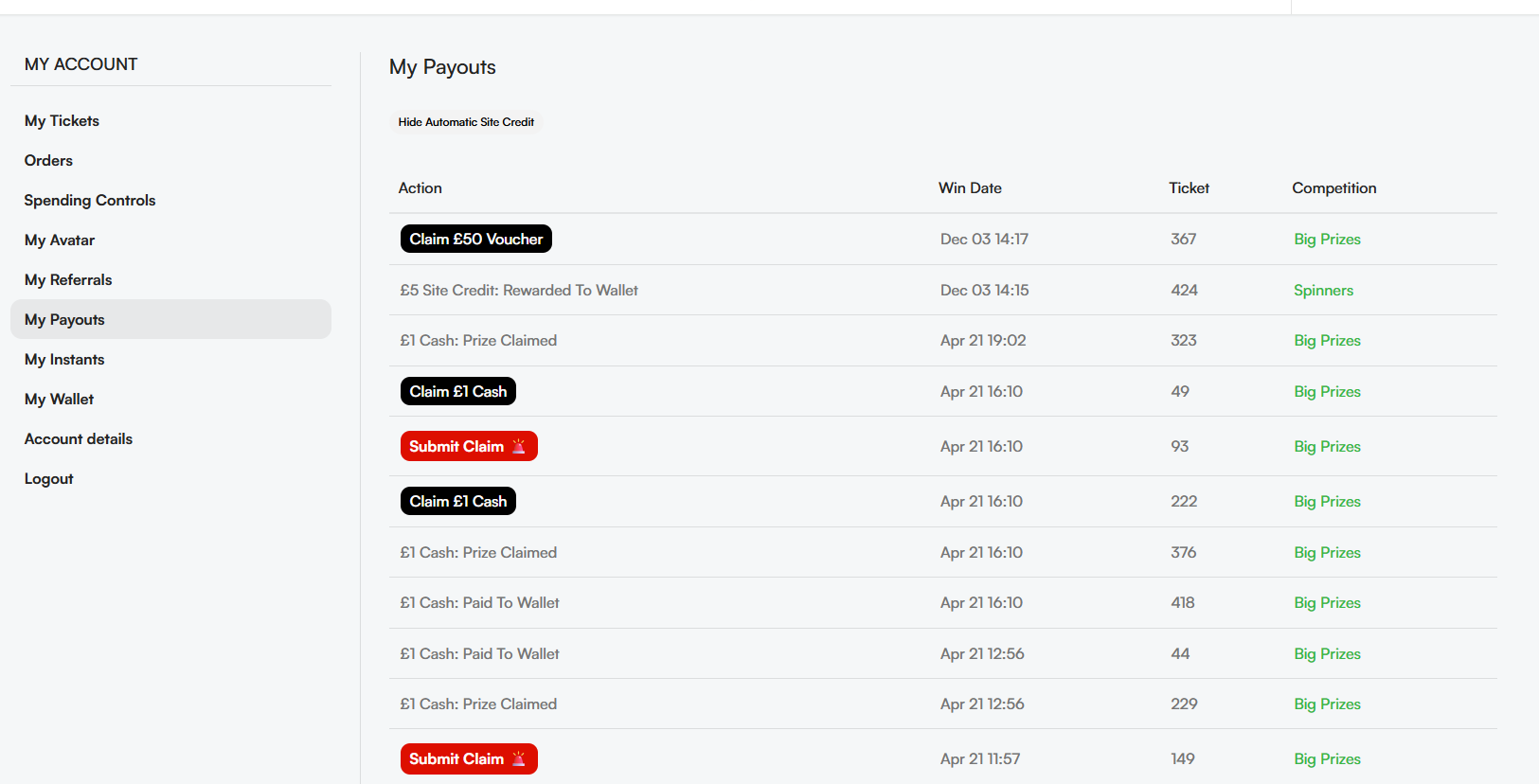
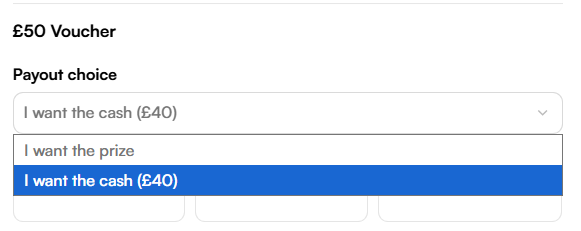
Below you will see how the Payout system looks for a winner. In their My Account section under My Payouts they’ll have a list of all their wins. In the below example when they click “Claim” they are offered three options.

Not every instant prize will have a cash alternative, but this one for example has a lower cash alternative than the voucher that was won.
Choosing to exchange will reward site credit immediately & clicking Cash or Prize will open a payout form.
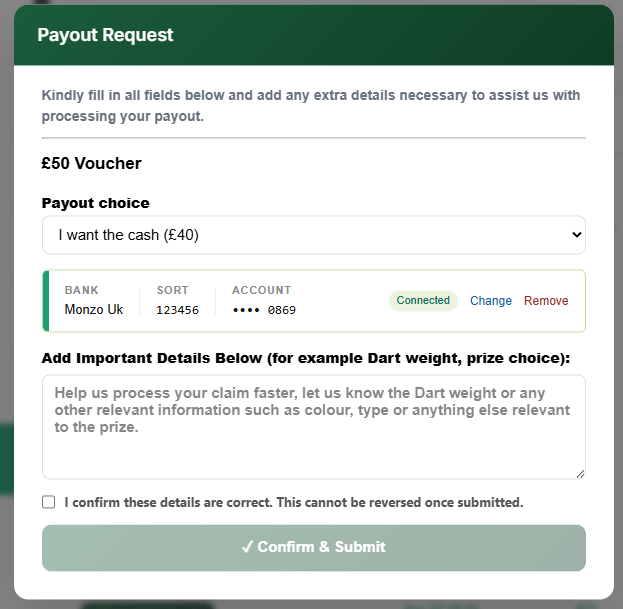
Physical Prize Request
This form will be automatically filled if they have previously requested a Physical prize so they do not have to keep typing their information in. Once they submit the form it will send an email to your Instant prize email, this is the email you already get Instant win notifications to.

Variant Prizes
You can add an additional dropdown on the payout form for prizes with a variant, this will only work on physical prizes and not cash alternatives.

Main Prize Payouts
You will also be able to add main prizes as payouts, this will reward the prize to each main prize winner, so if you have 3 winners and the prize is shared make sure you divide it beforehand.

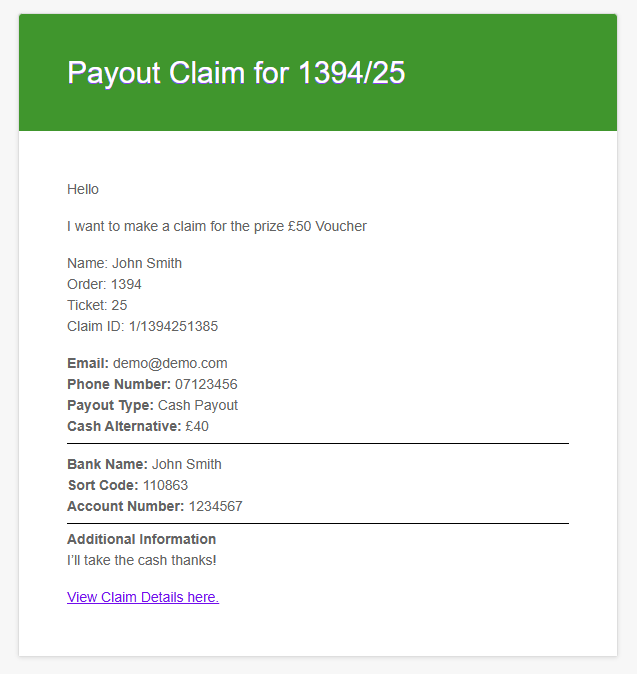
Here is an example of the email you will get, the Claim ID is a unique identifier which you can paste into the Instant Prize History search bar to pull up their Order details and other information.
Thats it for Payouts, its a straightforward process that leads the winner through a structured system with the intention of reducing your admin and encouraging them to convert their winnings into site credit to spend on your website!
Identity verification
There’s also an optional add-on to verify the ID of new winners. This requires a passport or driving licence plus a selfie to confirm each customer’s age and identity if they want to take a cash or physical prize. This solution will save you a lot of time verifying manually and will integrate with the winner history & payout system seamlessly.
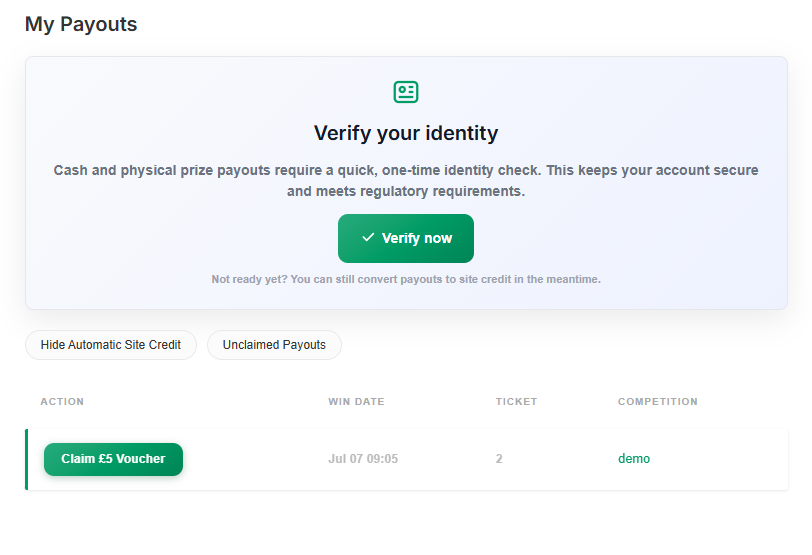
If a customer is not verified but tries to choose the physical or cash prize they will get this message

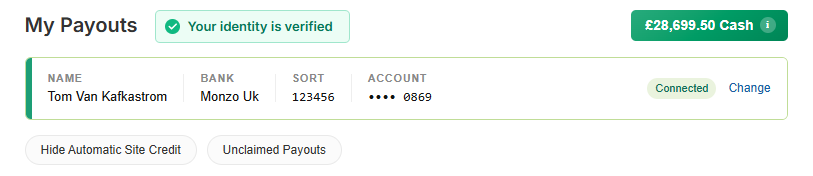
When a customer have verified their identity it will be shown at the top
Winner history
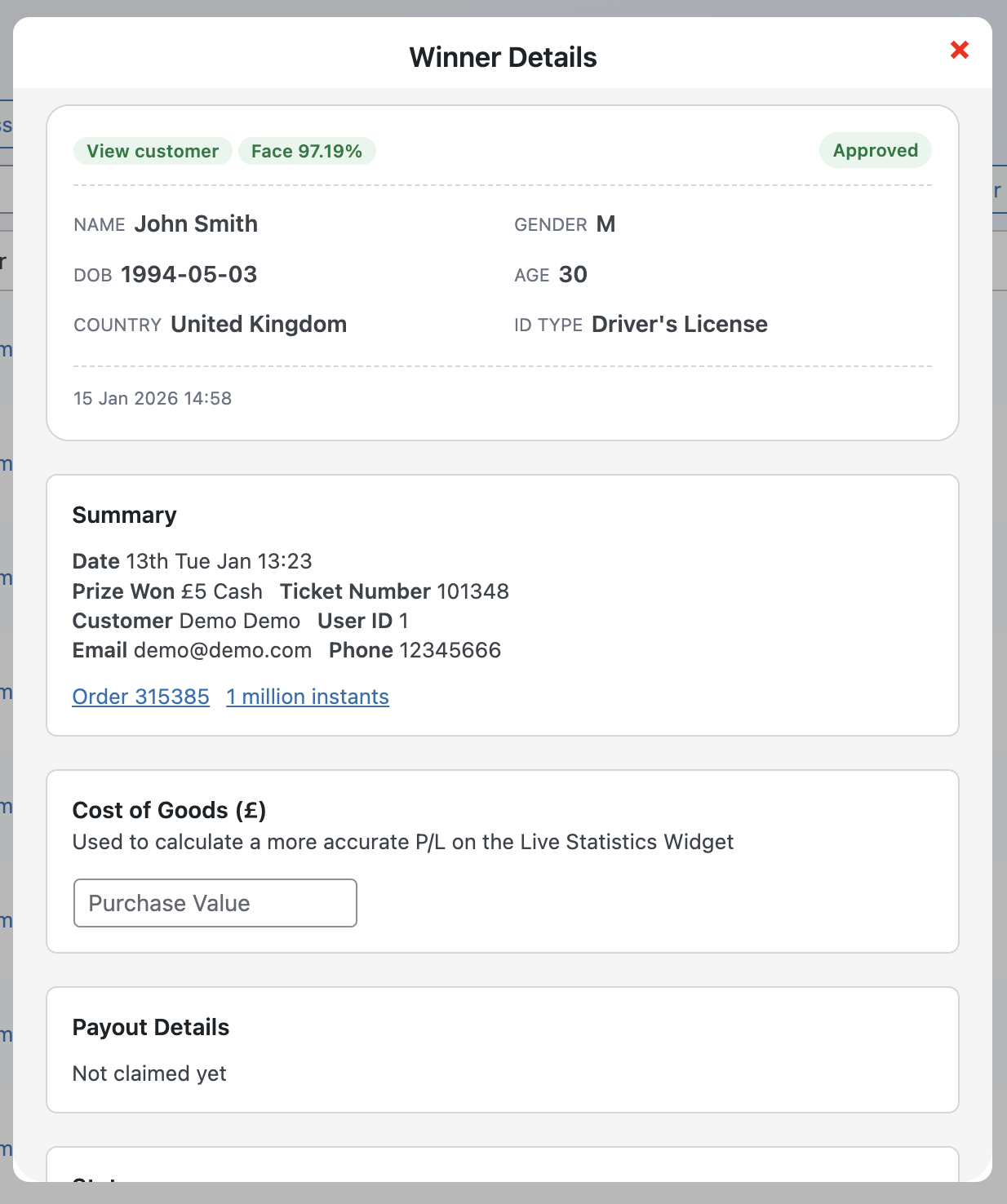
In the winner history, you can view key information from the customer’s verification, reducing the need to manually request identification
Manually approving customers
You can also manually override any automated decisions by reviewing submissions under Verifications in the menu. From there, you can approve or decline each customer individually. This is especially useful when a face match score is low or when information is missing. Customers who are declined can reapply at any time using a different form of ID or by providing a clearer selfie with a better face match

Auto Payouts
We also have integration for Auto Payouts which will save admin time, payments are processed within minutes, customers can connect their bank as shown below


Showing a Customers accounts and allowing them to switch between them
Global Instants
With Global Instants you can use the exact same instant across multiple competitions which not only saves you time but allows you to mass update an instant across multiple live competitions.
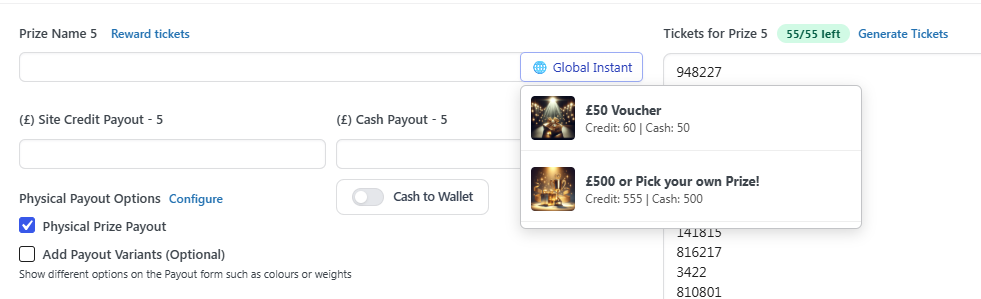
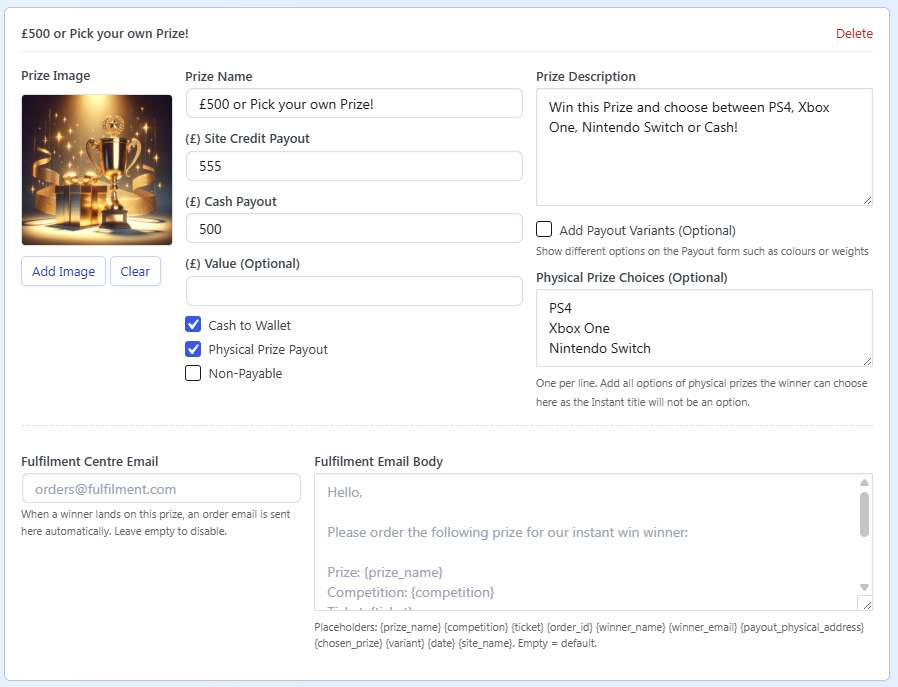
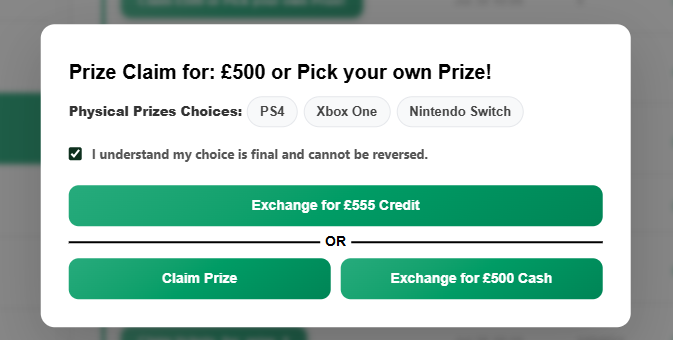
A Global Instant also has the option to add alternative physical prizes for a physical prize payout, for example in the below screenshot we can see this prize offers a £500 Cash Payout, £555 Site Credit or the option to pick between multiple physical prizes.
Customers Perspective of Multiple Physical Prizes

Setting up a Global Instant
Go to Competitions - Global Instants and fill it in like a normal instant win